Dedicated, format-locked workflow
Make an iPhone HEIC photo easier to upload
Create a JPG sharing copy for Windows, Android, email, and forms that reject HEIC—without changing the original.
Conversion settings
Compatible photo output; transparent pixels use your selected background.
Locked: HEIC / HEIF → JPG / JPEG
Drop images here or choose files
HEIC / HEIF input only · 50MB each · 20 files per batch
Why this workflow exists
HEIC is storage-efficient but still unsupported by some forms and older software.
JPG remains the most broadly accepted photo interchange format.
Baking in the orientation means the photo arrives upright even in software that ignores EXIF tags.
What PixelConvert does with a HEIC / HEIF file
The server verifies the HEIF-family signature, decodes the image, applies the orientation recorded in the source so the output pixels are genuinely upright, and encodes a new JPEG at your chosen quality onto your selected fallback background. Your original file is never modified.
The prepared JPG is written without copying the source EXIF and GPS block. For a photo going to a job portal, a public listing, or a stranger, that removes location data most people do not realise is attached.
Why renaming the file does not work
Every image format begins with a fixed byte sequence identifying it. A JPEG starts with FF D8 FF; a HEIC file carries an 'ftyp' box naming a HEIF brand. Renaming a file changes the characters after the dot and leaves those bytes untouched.
Any validator that reads the signature or tries to decode the image sees HEIC and refuses it. Lenient systems sometimes accept a renamed file, which is why the myth survives — but it fails precisely when the destination is strict, which is when you needed it to work.
Orientation is the failure people notice last
A photo taken with the phone held sideways is often stored as a landscape pixel grid plus a tag saying which way up to display it. Apple's software honours the tag, so the problem is invisible until the file leaves that ecosystem.
Software that ignores the tag shows the raw grid — sideways. Our measured orientation test shows the fix: a 640×420 source carrying tag 6 becomes a genuinely upright 420×640 output, with the rotation applied to the pixels and no tag left for anyone to misinterpret.
What a still JPG cannot carry
A HEIC container can hold more than one image, which is how Live Photos, burst sequences, and some depth and portrait effects are stored. A JPG holds exactly one still image and nothing else, so all of that is left behind.
Capture metadata is also not copied into the output by design. That is usually what you want for a shared photo and not what you want for an archive — which is why the correct workflow is to keep the HEIC original and send the JPG derivative, rather than replacing one with the other.
Verified format differences
| Property | HEIC / HEIF source | JPG / JPEG result |
|---|---|---|
| Compatibility | Strong on Apple devices | Broad across devices and forms |
| Orientation | May rely on EXIF | Pixels are oriented before save |
| Container | Can hold multiple images | One still image only |
| Output | Input-only in PixelConvert | Supported with quality control |
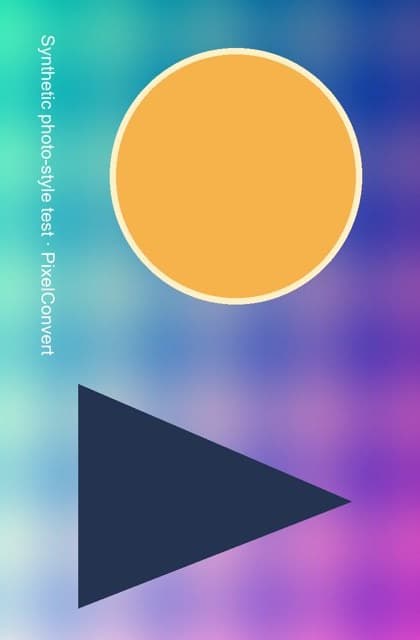
Measured PixelConvert evidence
A reproducible result, including what failed
Last tested: 2 September 2026 · orientation pipeline, current Chromium desktop and 390 px mobile viewport
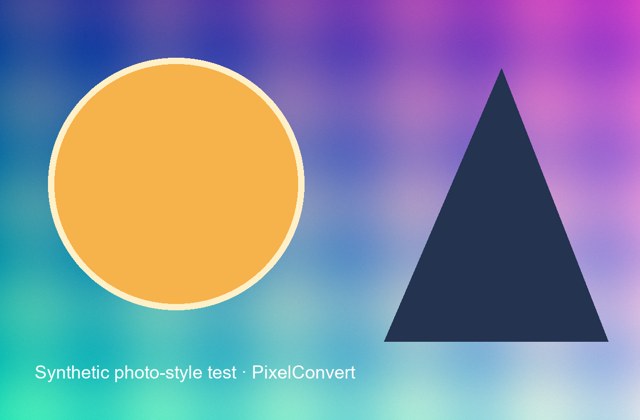
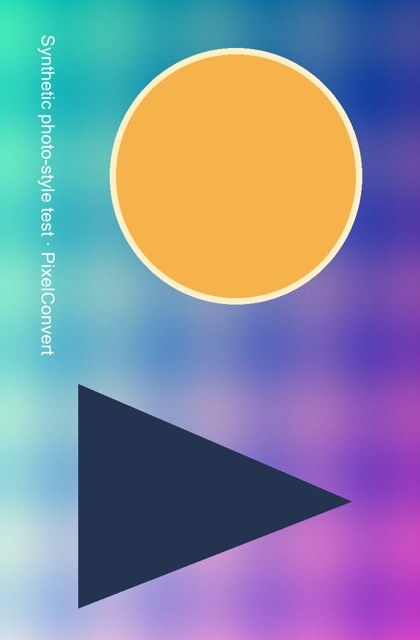
The synthetic source carried orientation tag 6. PixelConvert applied orientation before encoding and produced an upright 420×640 derivative without copying the source EXIF block. HEIC decoding uses this same orientation stage.
- Tagged source
- 640×420 · 25,668 bytes
- Corrected output
- 420×640 · 24,806 bytes
- Metadata
- Source EXIF/GPS not copied
Known limits
- This redistributable evidence file is JPEG and validates the shared orientation stage, not HEIC compression.
- A still JPG cannot preserve Live Photo motion or every item in a multi-image HEIC container.
How to use HEIC to JPG
- Step 1Add HEIC or HEIF files from your device.
- Step 2Choose JPG quality and a fallback background.
- Step 3Convert, open one result, then submit it to the destination form.
Good use cases
- Job and government portals
- Sharing with an older Windows application
- Creating conventional email attachments
Limitations to check
- The JPG is a new lossy copy; keep the original HEIC for archival or future editing.
- Live Photo motion and multi-image container content are not transferred.
- Capture metadata including camera settings and GPS is not copied into the output.
Questions answered
- Does this alter the iPhone original?
- No. PixelConvert creates a separate JPG download. Your original file is untouched, which is the intended workflow — keep it and send the copy.
- Can I just rename the .heic file to .jpg?
- No. Renaming changes the filename, not the encoded bytes. Any validator that checks the file signature or decodes the image will still see HEIC.
- Can PixelConvert create HEIC output?
- No. HEIC is intentionally supported as input only. Converting back would restore nothing lost in the JPG encode, so the workflow is deliberately one-directional.
- Will my GPS location be in the JPG?
- No. The output is rebuilt without the source EXIF and GPS block. Keep the original if you need the capture metadata preserved.
- Why is my JPG bigger than the HEIC?
- HEIC compresses more efficiently at comparable quality. If you are also under a size limit, use the Upload-Ready Image Builder to search for the highest quality that fits.
Troubleshooting HEIC to JPG
The form still rejects the file
Why: Format may not have been the only rule; size or dimensions may also be constrained.
Fix: Use the Upload-Ready Image Builder instead, which handles format, byte ceiling, and dimensions together.
The JPG is larger than the HEIC
Why: HEIC compresses more efficiently than JPEG, so giving up that efficiency costs bytes.
Fix: Lower the quality setting, or use the Upload-Ready Image Builder to find the highest quality that fits your limit.
The photo arrived sideways anyway
Why: If it was sent through an app that re-encoded it, the orientation may have been reapplied incorrectly downstream.
Fix: Send the prepared file as an attachment or document rather than as an inline chat image, which avoids silent re-encoding.
The motion from my Live Photo is gone
Why: A JPG has no way to store a motion component.
Fix: Keep the HEIC original, or export the Live Photo as a video separately if the movement is what matters.