Measured guide · in-house test data
Case Study: Prepare a Transparent Logo for JPG, SVG, and ICO
A transparent PNG logo does not have one universal replacement format. A JPG needs a background because it has no alpha channel. An SVG is a traced approximation rather than the original design file. An ICO is a container for several small icon sizes. This case study sends one synthetic RGBA logo through all three real PixelConvert conversion paths and records what each output is for.
By Prashantkumar Kishanrao Sundge · Published · Reviewed
What this guide establishes
- JPG flattened the transparent source onto the requested white background; it cannot retain alpha transparency.
- SVG tracing produced a new path-based approximation, not the original editable vector artwork, fonts, or layers.
- ICO bundled 16, 32, 48, 64, 128, and 256 pixel icon sizes into one file.
- One source, three outputs, three different jobs — none of them is a replacement for the PNG.
- The best output format depends on the destination requirement, not on a generic idea of image quality.
- Always retain the original PNG and use a separately named derivative for a specific upload or favicon workflow.
Start with the destination’s requirement
A marketplace image slot may ask for JPG, a design handoff may ask for SVG, and a browser favicon fallback may ask for ICO. Those requests are not interchangeable. Converting the same file to each format can be technically valid while producing files with different visual and editing behaviour.
The source in this test is an 800×800 transparent PNG with a simple flat PX mark. It is deliberately clean and geometric, which makes it a favourable tracing case. A photographed logo, a low-resolution screenshot, or artwork with soft shadows would produce less predictable SVG paths.
The reason to begin with the requirement rather than the file is that each of these conversions discards something different and permanently. Choosing the format first and discovering the cost afterwards is how people end up with a logo that has a white box around it on a dark page, or a favicon nobody can identify.
What each format can and cannot hold
The three outputs differ in kind, not merely in quality. A JPG stores a fixed grid of opaque pixels; it has no alpha channel, so transparency has nowhere to live. An SVG stores shapes described mathematically; it scales to any size without additional data, but it has no concept of the photographic detail a raster image can carry. An ICO is a container holding several complete raster images at different sizes, so software can pick one rather than scaling a single source badly.
Those differences mean the conversions are not reversible in any useful sense. Flattening to JPG discards alpha permanently — converting back to PNG yields an opaque image with the white still in it. Tracing to SVG discards the pixel data and replaces it with fitted paths; converting back produces a rendering of the approximation, not the original. The ICO holds downsampled copies, so it is not a route back to the 800-pixel source.
This is why the original PNG keeps its status as the master. It is the only one of the four files that can still become any of the others.
Measured conversion results
PixelConvert received the same 11,839-byte RGBA PNG three times. JPEG conversion used quality 85 and a white background. SVG conversion used colour mode, filter_speckle=4, and color_precision=6. ICO conversion used the production size list. All three requests returned 200 from /api/v1/convert/process.
The JPEG output is 800×800 and has no alpha channel, because it was flattened onto white before encoding. The SVG output contains traced path elements; it is vector data, but it is still an approximation made from pixels. The ICO output contains the six requested resolutions so applications can choose a suitable icon size rather than scaling one source for every context.
Every output in this test is a real response from the running conversion endpoint rather than a description of expected behaviour, and all four files are downloadable below. The JPEG and ICO were reopened after conversion to verify their properties — the absence of an alpha band in one, and the six embedded sizes in the other — so the claims on this page are checks performed rather than assumptions stated.
When to use JPG
Choose JPG only when the destination explicitly requires it or when a solid background is acceptable. Before converting, choose the background colour deliberately. A white marketplace page may make white the safe choice, but a dark page, printed label, or coloured presentation can make that choice look wrong.
Do not use JPG when the logo must sit over an unknown background. Its lack of transparency means the selected background becomes part of the pixels. For a reusable web or presentation asset, keep the transparent PNG or use a genuine original SVG if one exists.
The damage is worst at the edges, which is where people tend not to look. The antialiased pixels around a mark are partially transparent, so flattening blends them with the background colour rather than simply placing them on it. The result is a thin fringe of that colour tracing the outline — invisible against a matching page, obvious against anything else, and not cleanly removable afterwards because the fringe is now ordinary opaque pixels.
There is also a size point worth noting: JPEG is a poor fit for flat graphics generally. A logo is exactly the content type where lossy compression adds visible artifacts around sharp edges while often producing a larger file than a lossless format would. Convert because the destination demands it, not because you expect a smaller file.
When to use traced SVG
Use tracing when a system genuinely requires a vector-like file and no official vector artwork exists. Inspect the result at large scale: curved edges, small counters, corners, and letters often expose approximation errors that are hidden in a thumbnail.
Do not describe a traced SVG as a recovered logo source. It does not restore fonts, layers, naming, design intent, or a licence to use somebody else’s mark. If the original designer or organisation can supply an SVG, PDF, EPS, or design file, use that instead of tracing.
Before tracing anything, spend a few minutes looking for the real vector. Most organisations of any size publish a brand or press kit containing logo files in SVG or EPS, and many websites already serve their logo as an SVG you can save directly. Tracing is what you do when the original genuinely cannot be obtained, not a shortcut past asking for it.
The quality of the source governs the quality of the trace more than any setting does. The mark used here is flat, geometric, and high-contrast, which is close to the ideal case. Artwork that has been through JPEG compression at any point carries faint halos around every edge, and the tracer will faithfully draw paths around those artifacts — producing a noisy result that no adjustment of speckle or precision fully repairs.
When to use ICO
Use ICO for a browser favicon fallback or software that specifically asks for an icon container. The important test is at 16 and 32 pixels, not at the full 800-pixel source size. Simplify a complex wordmark before conversion; thin details and tiny text disappear at tab scale.
Browsers cache favicons aggressively. If you replace a favicon and still see an old mark, test in a private window, hard-refresh, or use a changed filename. That usually indicates cache behaviour, not a failed ICO conversion.
The reason the container holds six sizes rather than one is that the same file is used in places with very different dimensions — a browser tab, a bookmark list, a pinned shortcut, a desktop icon. Supplying each size separately lets the software choose an appropriate one instead of downscaling a single large image, which is where soft, muddy favicons come from.
A larger source does not rescue an unclear favicon. Downscaling to 16 pixels averages away detail regardless of where it started, so a 1024-pixel source and a 256-pixel source produce near-identical results at tab size. What helps is changing what is being averaged: thicker strokes, fewer shapes, higher contrast. That is a design change, not a resolution change.
Keeping the four files straight
One conversion session has now produced four files from one logo, and the common failure afterwards is organisational rather than technical: six months later nobody can tell which is the master.
Name derivatives so their purpose is obvious from the filename — including the format and, where it matters, the background colour or the destination. A file called logo-white-bg.jpg is self-explanatory in a way that logo2.jpg is not, and the distinction matters most to whoever inherits the folder.
Store the original PNG apart from the derivatives, and do not edit it. Everything else is reproducible from it in minutes; it is the only file that is not reproducible from anything else. If a destination later changes its requirements, you regenerate rather than reconstruct.
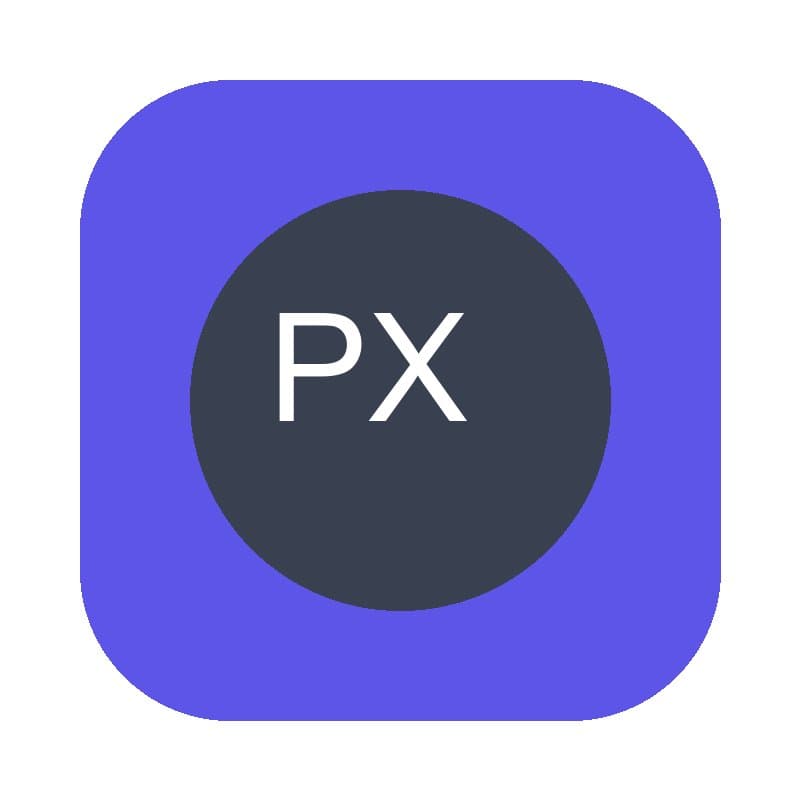
Actual JPEG output captured from the transparent PNG on 20 September 2026. The white field is part of the file because JPEG cannot retain the transparent pixels from the source.
- PNG source
- 800×800 RGBA · 11,839 bytes
- JPG output
- 800×800 · white background · no alpha
- ICO contents
- 16, 32, 48, 64, 128, 256px
Reproduce the test
These deterministic PixelConvert files contain no personal photos or third-party artwork. Download them to repeat the measurements or test another workflow.
- Download the transparent source ↓
Synthetic 800×800 RGBA PNG used in every measured conversion.
- Download the JPG output ↓
Actual white-background JPEG produced through the conversion endpoint.
- Download the traced SVG ↓
Actual vector-tracing output; inspect it as an approximation, not recovered source artwork.
- Download the ICO output ↓
Actual multi-size ICO produced through the conversion endpoint.
Browser and failure checks
- JPEG inspection
- The returned 800×800 JPEG was reopened to confirm that it has no alpha band and the requested white background was flattened into the pixels.
- SVG inspection
- The returned SVG contains traced path elements generated with colour mode, speckle filtering 4, and colour precision 6.
- ICO inspection
- The returned ICO was reopened with Pillow to confirm the embedded 16, 32, 48, 64, 128, and 256 pixel sizes.
How this was tested
scripts/capture_orientation_and_logo_case_studies.py POSTed frontend/public/evidence/transparent-logo.png to /api/v1/convert/process three times: JPEG with quality 85 and #FFFFFF background; SVG with colour mode, filter_speckle 4, and color_precision 6; and ICO with the production size list. The script recorded response bytes and reopened the JPEG and ICO outputs with Pillow 12.3.
Read the full PixelConvert methodology →Limitations
- The flat synthetic logo is a favourable SVG-tracing source; textured, blurred, or JPEG-damaged artwork can produce more paths and poorer edges.
- The case study measures this encoder version and input, not a universal output-size or quality promise.
- A trace does not restore original vector editability or grant permission to use a third party’s logo.
- The SVG output was inspected for traced path content rather than scored for visual fidelity, which requires human judgement at the intended display size.
Frequently asked questions
- Why did my transparent logo get a white background in JPG?
- JPEG has no alpha channel. PixelConvert must flatten transparent pixels onto the background colour you choose before it can encode a JPG.
- Is the traced SVG the original logo file?
- No. It is a new path-based approximation generated from pixels. It does not recover original fonts, layers, design structure, or ownership rights.
- Why does my logo have a coloured fringe around the edges?
- Its antialiased edge pixels were partially transparent and got blended with the background colour during flattening. Convert again from the original PNG using the destination's actual background colour; editing the flattened file will not clean it up.
- Which format should I send for a favicon?
- Use ICO when the destination requests it or as a browser fallback. Check the mark at 16 and 32 pixels, because that is where favicon legibility matters.
- Why does the ICO contain six sizes instead of one?
- Because the same file is used in tabs, bookmarks, shortcuts, and desktop icons, which have different dimensions. Supplying each size lets software pick one rather than downscaling a single image badly.
- Should I convert my only transparent PNG to JPG?
- Keep the PNG as your original reusable asset. Create a JPG derivative only for the destination that requires a solid-background file.
Revision note: Published 20 September 2026 using three real conversion requests from the same deterministic, copyright-safe transparent PNG. Reviewed 1 October 2026: added what each format can structurally hold, why none of the conversions is reversible, edge-fringing behaviour when flattening, how to find official vector artwork before tracing, why an ICO holds several sizes, and derivative-naming practice. The captured measurements are unchanged.